Introduction
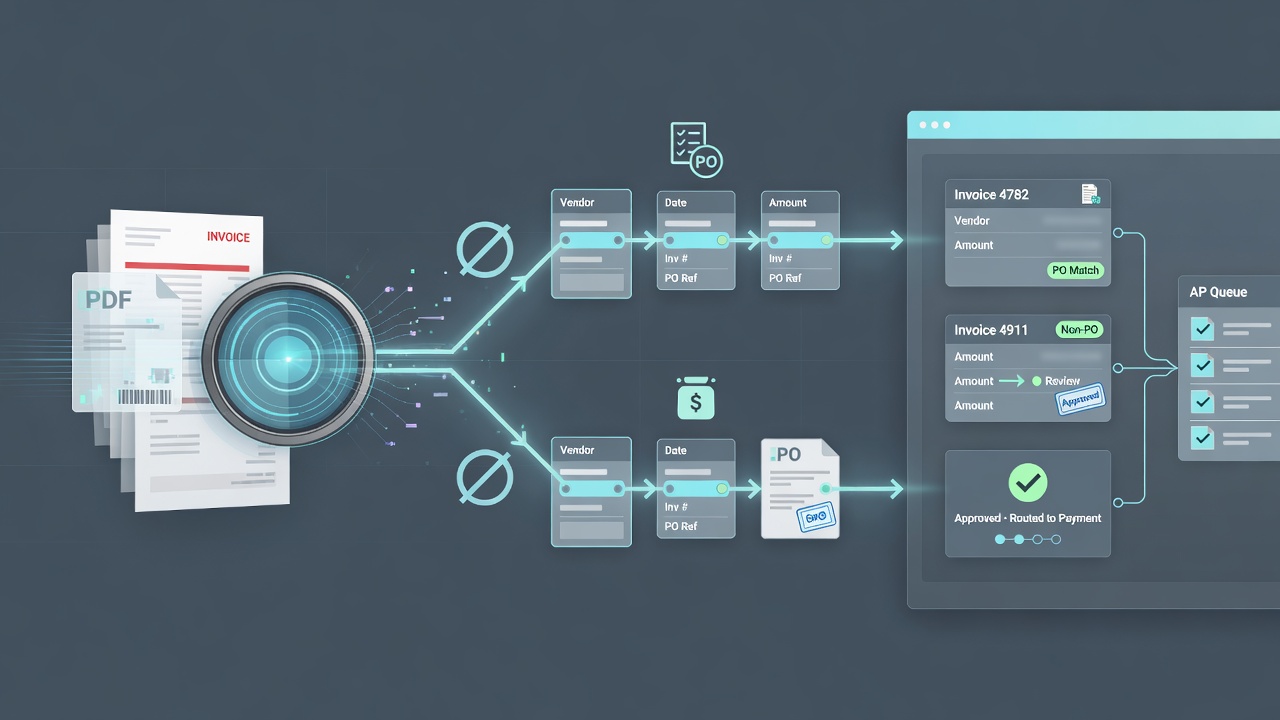
In Accounts Payable (AP) workflows, efficiency is everything. Reducing bottlenecks, minimizing manual data entry, and enabling quick approvals can significantly streamline your AP process. Integrating Ancora Software’s Intelligent Data Capture (IDC) capabilities with DocStar ECM is a powerful combination that automates much of the AP workflow. However, one essential aspect of this integration lies in configuring IDC export settings accurately. By ensuring that Ancora properly distinguishes between Purchase Order (PO) and non-PO invoices, your organization can accelerate PO matching and simplify non-PO invoice processing.
The Importance of Distinguishing PO and Non-PO Invoices
AP workflows often consist of two main invoice types:
- PO invoices match existing purchase order information, enabling a faster approval and payment process.
- Non-PO invoices often require additional approval steps, including routing to relevant departments or managers.
If both types are processed the same way, the AP workflow can become clogged with unnecessary steps. Distinguishing between the two from the outset enables a more efficient path.
How Ancora’s Intelligent Data Capture Fits In
Ancora Software’s IDC provides advanced data extraction capabilities, automatically capturing and validating data from incoming invoices. Integrated with DocStar ECM, each invoice’s data is captured accurately and routed to the appropriate workflow. Accurate export configurations are critical so Ancora can distinguish PO and non-PO invoices immediately upon entry.
Setting Up Ancora IDC for Accurate Export
- Data Field Mapping: Ensure fields specific to PO and non-PO invoices are correctly identified — PO number, vendor details, invoice amount, and line items.
- PO Number Recognition: Configure Ancora to recognize the presence (or absence) of a PO number for linking to order information.
- Invoice Type Categorization: Create tags or flags that categorize each invoice as PO or non-PO to drive automated workflows in DocStar.
- Validation and Exception Handling: Establish validation rules and exception paths for invoices that don’t meet criteria.
Leveraging DocStar ECM for Streamlined AP Workflow
- Automated PO Matching for PO Invoices: Once Ancora categorizes an invoice as PO-based, DocStar matches it against the corresponding Purchase Order and Product Receipt records. Discrepancies are flagged and routed for resolution.
- Approval Routing for Non-PO Invoices: DocStar routes non-PO invoices to the relevant department or approver based on the type categorization from Ancora.
- Audit Trails and Compliance: DocStar creates a complete audit trail for each invoice, documenting approvals, exceptions, and actions.
Benefits of Synergy Between Ancora IDC and DocStar ECM
- Reduced Processing Time: Direct PO matching reduces days payable outstanding (DPO).
- Improved Accuracy: Validation and field recognition reduce export errors.
- Streamlined Non-PO Approval: Non-PO invoices go straight to approvers.
- Enhanced Data Integrity: Clean capture and export improve data quality across DocStar and the ERP.
Conclusion
The synergy between Ancora Software and DocStar ECM allows organizations to optimize AP workflows through intelligent data capture and efficient approvals. Setting up Ancora’s IDC export settings to distinguish PO and non-PO invoices is critical. With a well-defined process, AP teams improve efficiency while ensuring accuracy and compliance — supporting better financial management and operational efficiency.